
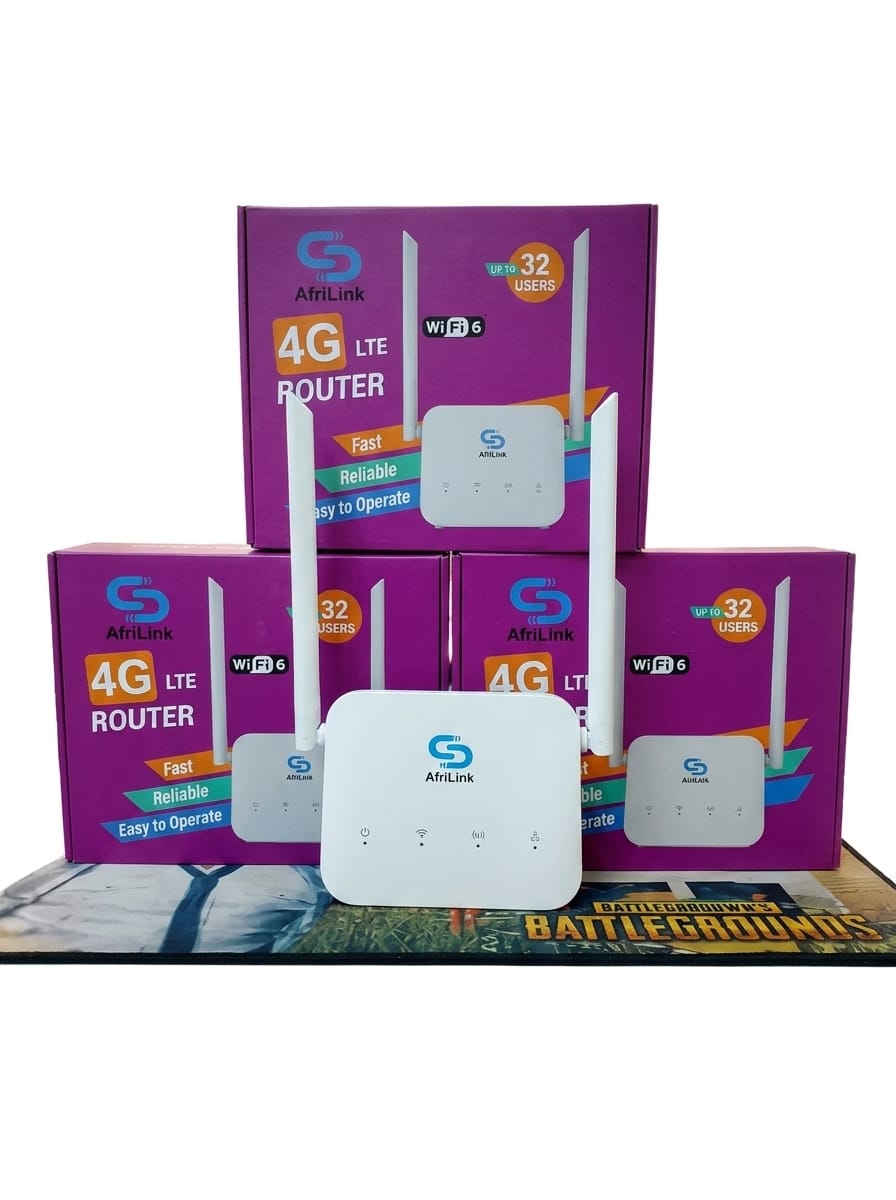
Product details
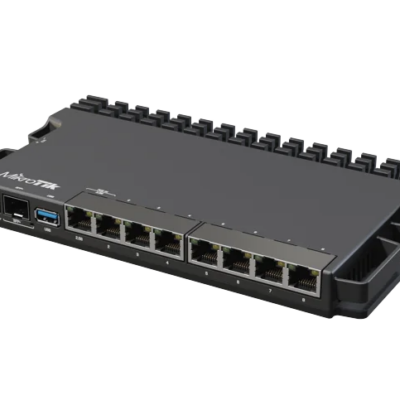
4G LTE Wireless Router
Stay connected with the 4G LTE Wireless Router, a reliable networking solution that delivers fast internet access using a 4G SIM card. Designed for homes, offices, shops, and small businesses, this router creates a stable Wi Fi network without requiring a fixed broadband connection.
Simply insert a compatible SIM card to enjoy wireless internet for multiple devices, including smartphones, laptops, smart TVs, tablets, and CCTV systems. Its easy setup and dependable performance make it an excellent choice for both everyday use and backup internet connectivity.
Key Features
4G LTE SIM card support
High-speed wireless internet connectivity
WiFi sharing for multiple devices
Easy plug-and-play setup
Stable and reliable network performance
LAN ports for wired connections
Secure wireless network
Compatible with major mobile networks
Ideal For
Homes
Small offices
Retail shops
Remote work
Internet backup
CCTV systems
Small businesses
Why Choose a 4G LTE Wireless Router?
The 4G LTE Wireless Router offers fast and flexible internet access without relying on fiber or DSL connections. Simply insert a SIM card and enjoy reliable Wi Fi wherever there is 4G network coverage.
Discover more compatible accessories, affordable and variety range of tech solutions at our official website.
A)Quick Start Guide Summary for the 4G LTE Router
This is a user manual for an LTE Customer Premises Equipment (CPE) router/modem that provides internet access via a mobile SIM card (4G/3G) and shares it over Wi-Fi or a wired LAN port. It includes setup instructions and extensive safety information.
Device Overview
B)The 4G LTE Router has these main components and indicators:
1.Power indicator: Shows power status, charging, and battery level (blue/green colors and solid/flickering patterns).
2.Wi-Fi indicator: Steady green when Wi-Fi is on.
3.Network mode indicator: Green for 4G/3G connection (flickering during data transfer); red for SIM/PIN issues or connection failures.
4.LAN indicator: Green when a device is connected to the LAN port.
5.Ports/buttons: LAN port, reset button (hold ~8 seconds for factory reset), power button (hold ~4 seconds to power on/off), power port, battery compartment, and SIM card slot.
C)Installation For the 4G LTE Wireless Router LTE Network Access
1.Power off the device and insert a standard SIM card into the slot. Do not remove the SIM while in use.
2.Connect the compatible power adapter and power on the device.
3.Wait for the network mode indicator to turn steady green (connected to 4G/3G).
4.Optionally connect a computer or other device to the LAN port.
D)Place the 4G LTE Wireless Router at least 1 meter from other electrical devices to reduce interference. Use only the manufacturer-approved power adapter.
Setting Up Wi-Fi
Ensure the Wi-Fi indicator is steady (Wi-Fi is enabled by default).
Note the default SSID and Wi-Fi key printed on the device’s bottom label.
On your client device (phone, tablet, or computer), connect to the matching SSID and enter the Wi-Fi key (case-sensitive).
Change the SSID and password periodically via the web interface for security.
E) Configuring the 4G LTE Wireless Router
1.Connect a client via Wi-Fi or LAN.
2.Open a browser and go to http://192.168.1.1 or http://192.168.0.1 (defaults are also on the device label).
3.Log in with the default username and password printed on the label.
4.Follow the quick setup wizard to configure network settings.
5.Change the login password after first use. If you change the Wi-Fi settings, reconnect clients with the new credentials. Test internet access by opening a webpage.
F) Troubleshooting Help for the 4G LTE Router
1.Restart the device.
2.Check the help section on the web management page.
3.Perform a factory reset.
4.Contact your service provider.
G) Safety Information (Key Points) for the 4G LTE Router
1.Do not use where prohibited or near medical equipment (maintain ≥15 cm from pacemakers).
2.Avoid flammable/explosive areas (e.g., gas stations).
3.Ideal operating temperature: 0°C to +40°C; storage: –10°C to +60°C.
4.Keep away from strong magnetic fields, heat sources, moisture, and direct sunlight. Maintain ≥10 cm clearance for ventilation and ≥20 cm from the body.
5.Use only approved accessories and power adapters. Unplug during thunderstorms or when not in use.
6.Keep away from children (choking hazard from small parts). Do not dismantle the device.
7.Clean only with a soft dry cloth. Dispose of the device and accessories according to local recycling regulations—do not put them in household trash.
Figures in the guide are for reference; actual appearance may vary slightly by model.


There are no reviews yet.